Project Overview
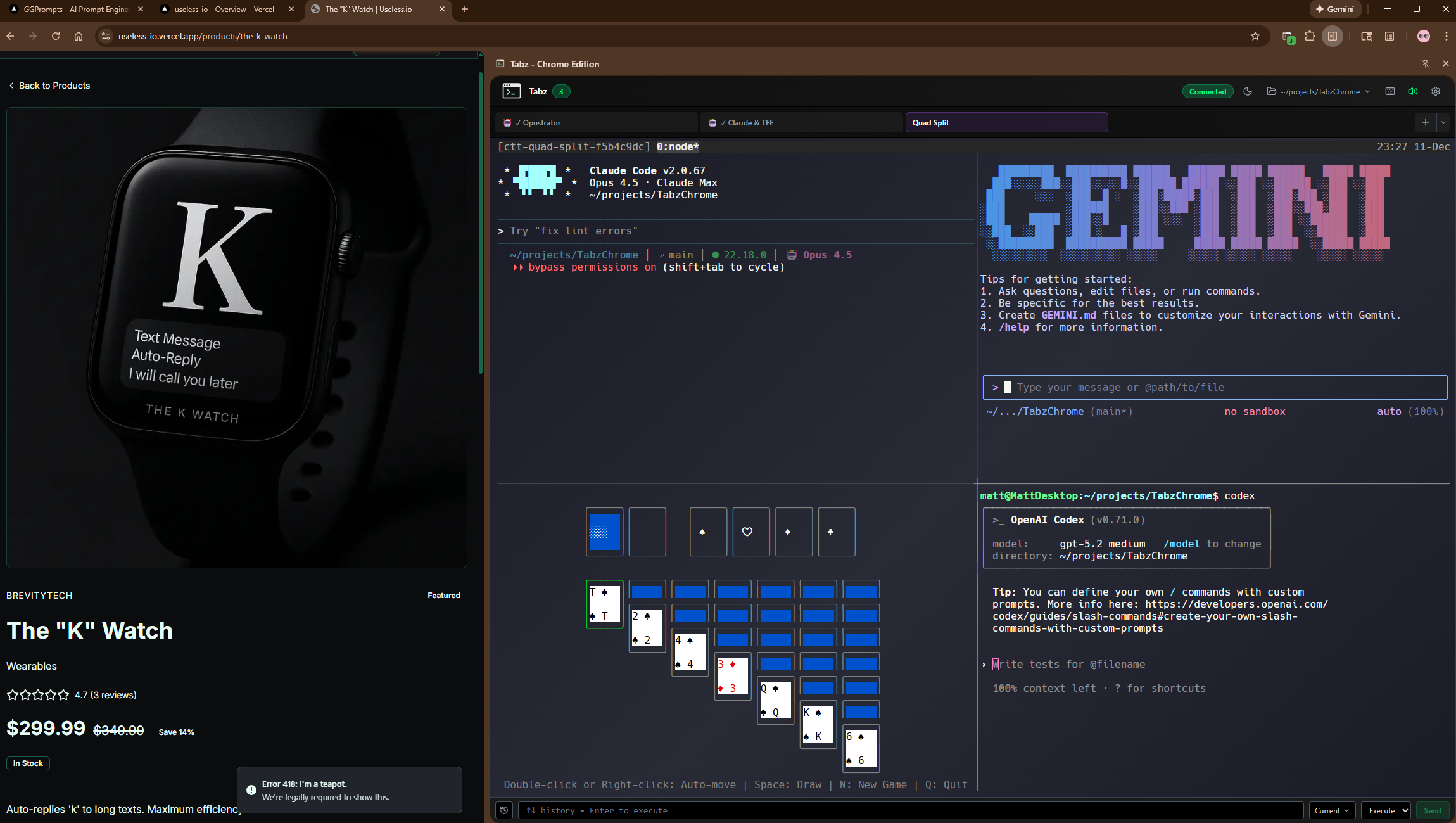
TabzChrome brings real Linux terminals into the Chrome browser sidebar. This is not a shell emulator — it connects to actual bash processes on your machine via WebSocket, with tmux-backed persistence that survives sidebar close and even browser restarts.
Beyond terminals, TabzChrome includes 85 MCP browser control tools for screenshots, clicks, form filling, network interception, and device emulation. It integrates deeply with Claude Code for AI-powered terminal workflows, and ships with a plugin marketplace for agents, skills, and hooks.
With 127 stars and 10 forks, this is the project that proved developers want terminals integrated into their browsing workflow.
By the Numbers
Tech Stack
🔌 Extension
- Chrome Manifest V3
- React (sidebar UI)
- xterm.js (terminal rendering)
- Service Worker (background)
🔌 Backend
- Node.js + Express
- WebSocket (terminal streams)
- node-pty (PTY allocation)
- tmux (session persistence)
🔌 MCP Layer
- 85 browser control tools
- Chrome DevTools Protocol
- REST API for automation
- Plugin marketplace system
🔌 Integration
- Claude Code status detection
- /discover-profiles command
- Local dashboard (port 8129)
- Profile system w/ categories
Architecture
Key Features
Real Bash Terminals
Not a shell emulator. Actual Linux bash processes connected via WebSocket through node-pty. Full PTY support with colors, cursor movement, and interactive programs.
85 MCP Browser Tools
Screenshots, clicks, form filling, network interception, cookie management, device emulation. Full browser control from the terminal or AI agents.
tmux Persistence
Terminal sessions survive sidebar close, tab navigation, and browser restarts. Your running processes stay alive, backed by tmux session management.
3D Focus Mode
Pop any terminal into an immersive 3D perspective view. Full-screen focus for when you need to concentrate on a single terminal session.
Claude Code Integration
Deep integration with Claude Code: status detection, /discover-profiles command, and AI-powered terminal workflows. The terminal becomes an AI interface.
Plugin Marketplace
Extensible architecture with agents, skills, and hooks. Install community plugins or build your own to customize the terminal experience.
Profiles & Categories
Organize terminals with named profiles, color-coded categories, and custom configurations. Quick-switch between different development contexts.
Terminal Popouts
Detach any terminal into a standalone browser window. Arrange multiple terminals across screens while keeping them connected to the same backend.
See It in Action
Reflections
Building TabzChrome taught deep lessons about Chrome extension architecture and the constraints of Manifest V3 — service worker lifecycle, content script isolation, and sidebar API limitations. The WebSocket terminal bridge pattern (browser → WS → node-pty → tmux) became a reusable architecture I carried forward.
The biggest takeaway: developers want terminals integrated into their browsing workflow. The 127 stars came from a real pain point — context switching between browser and terminal kills flow state. Putting a real shell in the sidebar, persistent across sessions, turned out to be the single most impactful developer tool I have built.